

It’s 11 AM and Claude just told you to come back later. You’re mid-draft on a client deliverable, or halfway through debugging a function that was almost working. Sound familiar?
Here’s the thing: the limit isn’t the problem. Your habits are. Most people default to the biggest model for everything, leave token-hungry features running in the background, and treat every chat like a never-ending thread. Tokens — small chunks of text that Claude reads and writes, basically the currency of every interaction — add up fast when you’re not paying attention.
These eight fixes changed how I use Claude. They’ll change yours too.
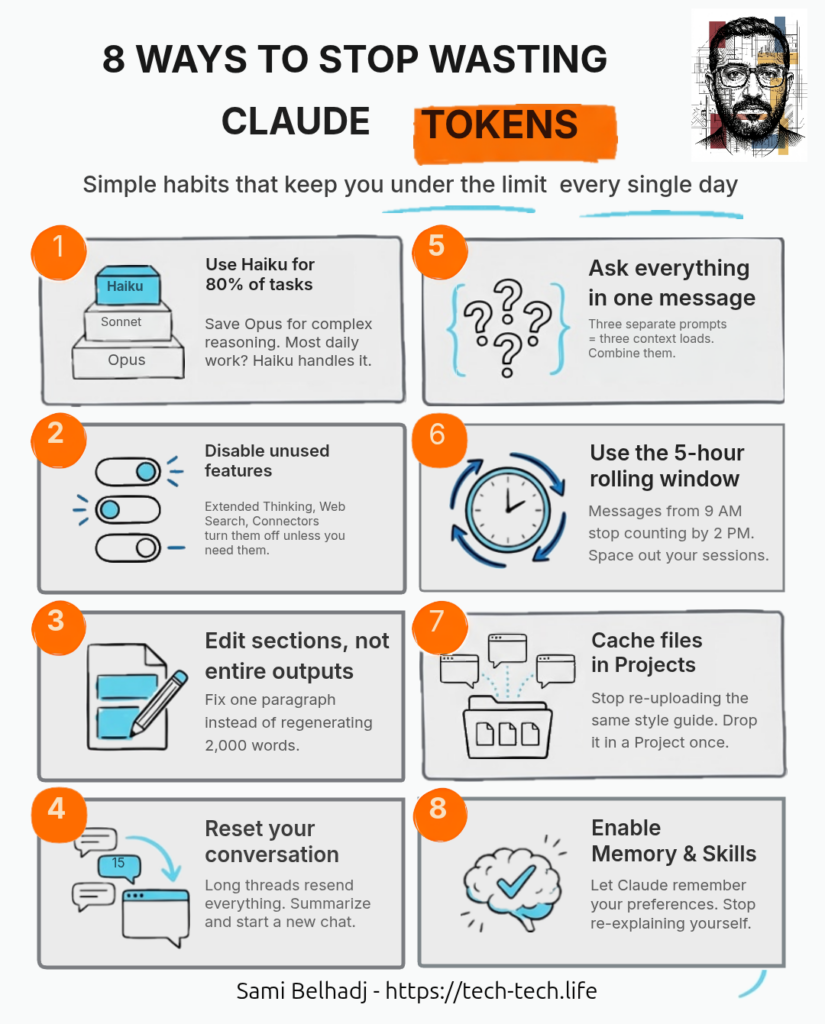
Haiku handles about 80% of daily tasks — drafting emails, summarizing notes, quick brainstorms. Sonnet covers another 15% — code reviews, longer analysis, anything that needs more nuance. Opus should be maybe 5% of your usage: complex multi-step reasoning, hard architectural decisions. You’re a freelance copywriter generating 10 headline variations? That’s Haiku all day. Use the model selector at the top of every chat and pick based on the task, not the habit.
| Model Tier | Optimal Workload | Context Window | Input Cost (per 1M Tokens) |
| Haiku 4.5 | 80% (Formatting, short drafts) | 200k | $1.00 |
| Sonnet 4.6 | 15% (Daily coding, analysis) | 1M | $3.00 |
| Opus 4.6 | 5% (Complex logical synthesis) | 1M | $5.00 |
Extended Thinking, Web Search, Connectors — these features add tokens to every response even when you don’t need them. Leave them off by default. Turn them on only when the task actually calls for deeper reasoning or live data. Most conversations don’t.
You got a 2,000-word report back and section 3 is wrong. Don’t say “redo the whole thing.” Use Claude’s edit feature and tell it to reprocess only section 3. A full redo regenerates every token. A targeted edit costs a fraction.
Every message in a conversation gets resent with every new prompt. By message 15, you’re paying for all 15 messages each time you hit send. That cost grows fast. Grab a summary, paste it into a new chat, and keep going with a clean slate.
“Summarize this article.” Then: “List the key points.” Then: “Suggest a headline.” That’s three full context loads. Send all three asks in one message. One load, three answers — and the responses are usually better because Claude sees the full picture.
Claude runs on a rolling 5-hour window. Messages you sent at 9 AM stop counting by 2 PM. If you burn everything in one morning sprint, you’re wasting most of your daily capacity. Split into two or three sessions and let your earlier usage roll off between them.
Uploading the same style guide or codebase into every new chat eats tokens every time. Drop those files into a Project once and they’re cached. Every conversation in that project references them without re-uploading. The more you reuse the same content, the bigger the savings.
For chat, turn on Memory so Claude remembers your preferences across conversations. For Claude Code, write a CLAUDE.md file with your project conventions — it loads automatically every session. For repeatable workflows, build(https://platform.claude.com/docs/en/agents-and-tools/agent-skills/overview). Set it up once and stop re-explaining yourself.
None of this is about doing less with Claude. It’s about stopping the waste. Every tip here is a habit, not a hack. Pick two or three this week, and by Friday you’ll wonder how you ever ran out of messages before lunch.
Ready to stretch even further? Check your usage dashboard in Settings, enable Projects for your next recurring workflow, and turn on Memory in your next chat. That’s the real upgrade — not a bigger plan, but a smarter one.
