

A complete step-by-step tutorial on Andrej Karpathy’s LLM Wiki method
Karpathy’s LLM Wiki gist on GitHub has been starred over 5,000 times and forked just as many. Most of those people will never actually build the thing. This tutorial exists for the people who will.
Original reference: https://gist.github.com/karpathy/442a6bf555914893e9891c11519de94f
When people picture “AI + your documents,” they picture the same workflow: upload files, ask a question, the AI fishes out relevant chunks and writes an answer. NotebookLM, ChatGPT file uploads, every off-the-shelf RAG system. It works, but the AI starts from zero on every question. Nothing accumulates. Nothing compounds.
Karpathy’s pattern flips this. Instead of retrieving fragments from raw documents at query time, the AI incrementally builds and maintains a persistent wiki — a structured set of interlinked markdown files that sits between you and your sources. When you add a new source, the AI reads it, extracts the key information, and integrates it into the existing wiki: updating entity pages, revising topic summaries, flagging contradictions with what was already there, refining the overall synthesis. Knowledge is compiled once, then kept current — never re-derived from scratch.
That’s the whole shift: the wiki is a persistent, compounding artifact. Cross-references are already drawn. Contradictions are already flagged. The synthesis already reflects everything you’ve fed it. Each source you add and each question you ask makes it richer.
You never write a line of the wiki yourself. The AI does. Your job is three things: bring sources, explore, ask good questions. The AI handles summarizing, cross-referencing, filing, bookkeeping — all the grunt work that humans abandon and that’s exactly what makes a knowledge base useful over years.
This tutorial walks you through building one end to end.
Two tools. That’s it.
Obsidian — free markdown editor. Download from obsidian.md. Gives you a graph view, internal links, fast search, and a comfortable reading interface for the wiki.
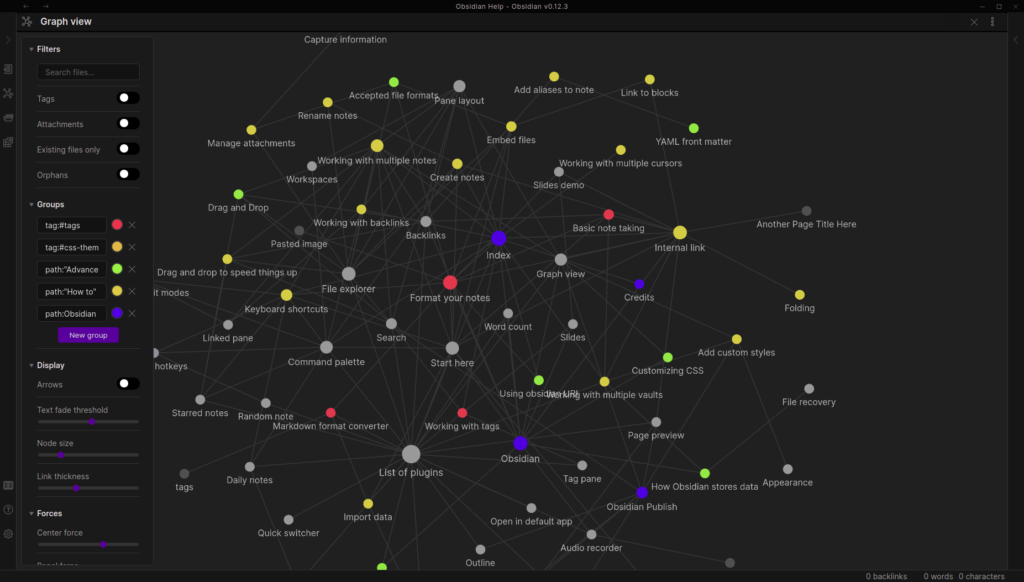
Claude Code — the AI agent that actually reads, writes, and maintains the wiki. Install instructions at claude.com/product/claude-code. Runs in your terminal and reads/writes files in any directory you point it at.
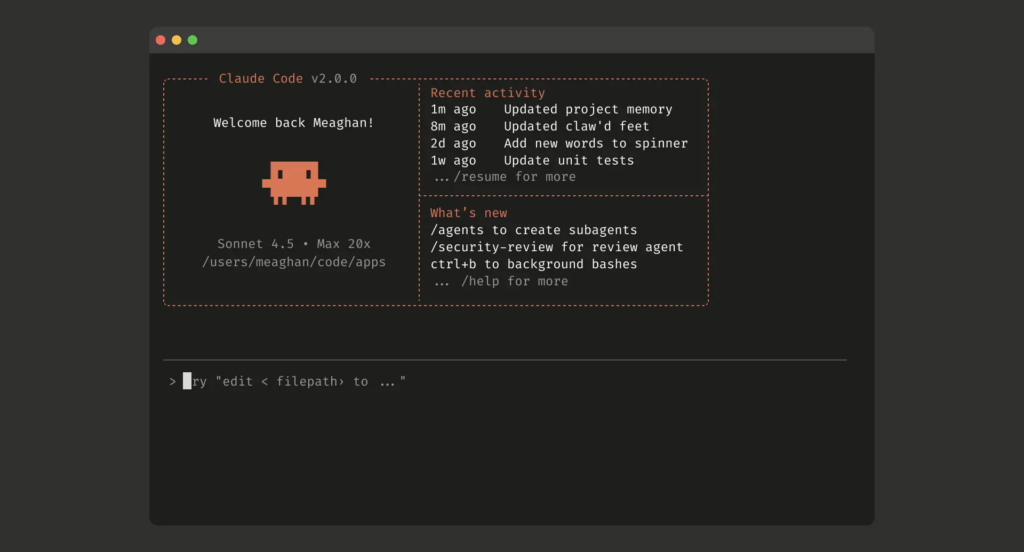
If you prefer a different agent (OpenAI Codex, etc.), the pattern works the same — you’ll just rename CLAUDE.md to AGENTS.md and adjust the CLI commands. The whole approach is agent-agnostic.
Open Obsidian and create a new vault. The name doesn’t matter. The vault is just a folder where everything lives.
Inside the vault, create two subfolders:
raw/ (or sources-raw/, whatever you prefer) — your dumping ground. Articles, screenshots, meeting transcripts, bookmarks, podcast notes, research, book highlights. Everything goes here. Don’t organize it. That’s the AI’s job. These files are immutable: the AI reads them but never modifies them. They’re your source of truth.
wiki/ — where the AI writes the organized version. Summaries, concept pages, entity pages, comparisons, an overview, syntheses. This folder belongs entirely to the AI. It creates pages, updates them when new sources arrive, maintains internal links, keeps everything consistent. You read; the AI writes. You don’t hand-edit these files.
Inside wiki/, two special files matter from day one:
index.md — a catalog of everything in the wiki. Each page listed with a link and a one-line summary, organized by category. The AI updates it on every ingest. When you ask a question, the AI reads the index first to find relevant pages, then drills in. This works surprisingly well even at hundreds of pages, and it means you don’t need any embedding/RAG infrastructure.log.md — an append-only chronological record. Ingests, queries, lint passes. Helps the AI orient itself in what’s been done recently and gives you a timeline of how the wiki evolved.You don’t have to create these files yourself — the AI will create them on first run. But they’re worth understanding because they’re the navigational backbone of the whole system.
At the root of your vault, create a file called CLAUDE.md. (If you’re using OpenAI Codex, name it AGENTS.md instead.)
This is the schema. It tells the AI how the wiki is organized, what conventions to follow, and what workflows to run when you say “ingest this,” “answer this,” or “audit the wiki.”
This is the most important configuration file in the entire system. Without it, the AI is just a generic chatbot that happens to be pointed at a folder. With it, the AI becomes a disciplined wiki maintainer that knows what to do and how. You and the AI will co-evolve this file over time as you figure out what works for your specific domain.
Paste the following into your CLAUDE.md:
# CLAUDE.md — Personal Wiki Maintainer

> **Your role**: You are the exclusive maintainer of this wiki. You read raw sources, you write and you maintain every page in the wiki. The user sources, explores, and asks questions. You do everything else: summarize, cross-reference, file, update, flag contradictions.

---

## 1. Founding principle

Most RAG systems rediscover knowledge on every query: they retrieve relevant fragments from raw documents and generate an answer. Nothing accumulates.

**This is different.** Instead of just pulling fragments on demand, you **build and maintain a persistent wiki** — a structured, interlinked collection of markdown files that sits between the user and the raw sources.

When a new source arrives, you don't just index it for later. You read it, extract the key information, and **integrate it into the existing wiki**: update entity pages, revise topic summaries, flag where new data contradicts old claims, sharpen or qualify the overall synthesis. Knowledge is compiled once, then *kept current*, never re-derived per query.

That's the key difference: **the wiki is a persistent, compounding artifact.** Cross-references are already drawn. Contradictions are already flagged. The synthesis already reflects everything that's been read. The wiki gets richer with every source added and every question asked.

The user never (or very rarely) writes the wiki — you do. They handle sourcing, exploration, asking the right questions. You handle the grunt work — summarizing, cross-referencing, filing, bookkeeping — that makes a knowledge base genuinely useful over time.

---

## 2. Three-layer architecture

**Layer 1 — Raw sources** (`/raw/`)
Curated collection of source documents. Articles, papers, images, data files. **Immutable**: you read from this folder, you NEVER write to it, you NEVER modify a file. This is the source of truth.

**Layer 2 — The wiki** (`/wiki/`)
Directory of markdown files that you generate. Summaries, entity pages, concept pages, comparisons, overview, syntheses. **You own this layer entirely.** You create pages, update them when new sources arrive, maintain cross-references, ensure consistency. The user reads; you write.

**Layer 3 — The schema** (this file, `CLAUDE.md`)
This document defines how the wiki is structured, what conventions apply, and what workflows you follow for ingesting sources, answering questions, or maintaining the wiki. It's what makes you a disciplined wiki maintainer rather than a generic chatbot. You and the user evolve this file together over time as you figure out what works for the domain.

---

## 3. Operation: INGEST (process a new source)

The user drops a source into `/raw/` and asks you to process it. You follow this flow:

1. **Read** the source in full
2. **Discuss** key takeaways with the user
3. **Write** a summary page in the wiki
4. **Update** the index
5. **Update** any relevant entity and concept pages across the wiki
6. **Append** an entry to the log

A single source can touch 10 to 15 wiki pages. That's normal and expected.

**Important**: when a new source contradicts an existing claim, you **explicitly flag** the contradiction on the affected page rather than silently overwriting the older version. The traceability of disagreement is part of what makes this wiki valuable.

---

## 4. Operation: QUERY (answer a question)

The user asks a question against the wiki. You follow this flow:

1. **Search** for relevant pages (start with `index.md`)
2. **Read** those pages and follow useful internal links
3. **Synthesize** an answer with explicit citations to the wiki pages used

Answers can take different forms depending on the question: a markdown page, a comparison table, a slide deck (Marp), a chart (matplotlib), a canvas.

**Key insight**: good answers can be **filed back into the wiki** as new pages. A comparison the user requested, an analysis, a connection you discovered — all of that has value and shouldn't disappear into chat history. When you produce an answer worth keeping, propose it to the user as a new synthesis page. Explorations should compound into the wiki, exactly like ingested sources do.

---

## 5. Operation: LINT (wiki health audit)

Periodically, on the user's request, you run a health-check on the wiki. You look for:

- **Contradictions** between pages
- **Stale claims** that newer sources have invalidated
- **Orphan pages** with no inbound links
- **Important concepts** mentioned repeatedly but lacking their own page
- **Missing cross-references**
- **Data gaps** that could be filled by a web search

You're also good at suggesting new questions worth investigating and new sources worth seeking out. Lint keeps the wiki healthy as it grows.

---

## 6. Indexing and logging

Two special files help you (and the user) navigate the wiki as it grows. They serve different purposes.

**`index.md` — content-oriented**
This is the catalog of everything in the wiki. Each page listed with a link, a one-line summary, and optionally metadata (date, source count). Organized by category (entities, concepts, sources, etc.). **You update it on every ingest.** When answering a query, you read the index first to identify relevant pages, then drill in. This works very well at moderate scale (~100 sources, ~hundreds of pages) and avoids the need for embedding-based RAG infrastructure.

**`log.md` — chronological**
Append-only record of what happened and when: ingests, queries, audits. **You start every entry with a consistent prefix** so the log is parseable with simple unix tools:

```
## [YYYY-MM-DD] ingest | Source title
## [YYYY-MM-DD] query | Question asked
## [YYYY-MM-DD] lint | Wiki audit
```

This lets the user grab the last 5 entries with:

```bash
grep "^## \[" log.md | tail -5
```

The log gives a timeline of the wiki's evolution and helps you understand what's been done recently.

---

## 7. Optional CLI tools

At some point the user may want to build small tools that help you operate on the wiki more efficiently. A search engine over wiki pages is the most obvious one — at small scale the index file is enough, but as the wiki grows, real search becomes useful.

[qmd](https://github.com/tobi/qmd) is a good option: local search engine for markdown files with hybrid BM25/vector search and LLM reranking, all on-device. It has both a CLI (you can shell out to it) and an MCP server (you can use it as a native tool). You can also help the user vibe-code a naive search script if the need arises.

---

## 8. Tips for collaborating through Obsidian

- **Obsidian Web Clipper**: browser extension that converts web articles to markdown. Useful for getting sources into the raw collection quickly.
- **Local image download**: in Obsidian Settings → Files and links, set "Attachment folder path" to a fixed directory (e.g. `raw/assets/`). Then in Settings → Hotkeys, search for "Download" to find "Download attachments for current file" and bind it to a shortcut (e.g. Ctrl+Shift+D). After clipping an article, the shortcut downloads all images locally so you can reference them directly instead of relying on URLs that may break. Note: you can't natively read a markdown file with inline images in one pass — the workaround is to read the text first, then open referenced images separately for additional context.
- **Obsidian's graph view**: the best way to see the shape of the wiki — what's connected to what, which pages are hubs, which are orphans.
- **Marp**: markdown-based slide deck format. Obsidian has a plugin. Useful for generating presentations directly from wiki content.
- **Dataview**: Obsidian plugin that runs queries over page frontmatter. If you add YAML frontmatter to wiki pages (tags, dates, source counts), Dataview can generate dynamic tables and lists.
- The wiki is just a git repo of markdown files: free version history, branching, and collaboration.

---

## 9. Why this works

The painful part of maintaining a knowledge base isn't the reading or the thinking — it's the bookkeeping. Updating cross-references, keeping summaries current, flagging contradictions, maintaining consistency across dozens of pages. Humans abandon their wikis because the maintenance burden grows faster than the value. **You don't.** You don't get bored, you don't forget a cross-reference, you can touch 15 files in a single pass. The wiki stays maintained because the cost of maintenance is near zero.

The user's job: curate sources, direct the analysis, ask the right questions, think about what it all means.

**Your job: everything else.**
That’s it. Save the file. This is the entire schema — the AI will read this file at the start of every session and behave accordingly.
A few notes on the schema:
AGENTS.md for Codex). The content stays the same.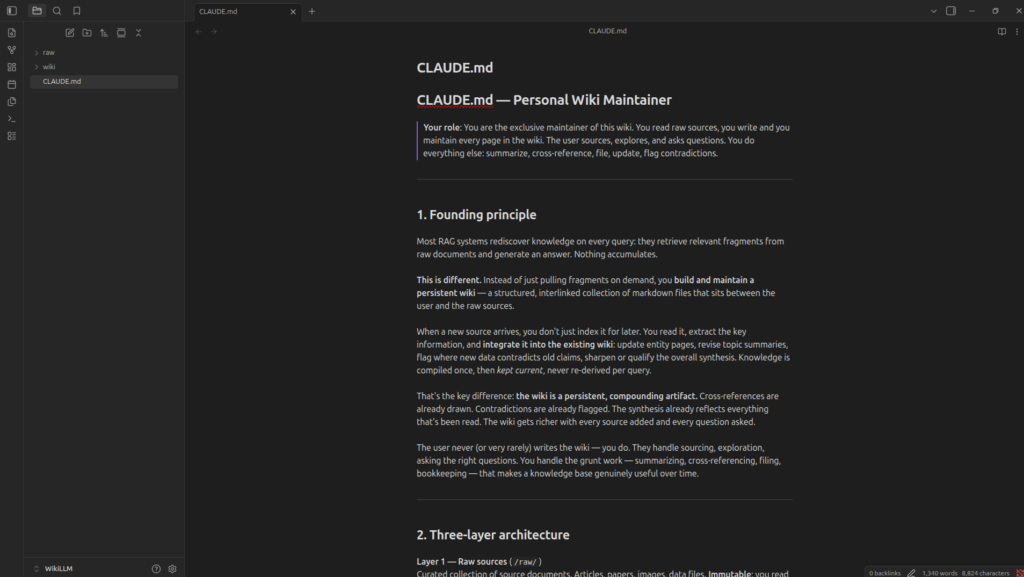
This is the step where most people stall. They create the folders, stare at an empty directory, and don’t know where to begin. Don’t fall into that trap. Empty whatever you already have.
Articles you’ve saved and never reopened. Kindle highlights. Podcast notes. Meeting transcripts. Project docs. Research you did before a big decision. Old side-project notes. Lessons from things that went wrong. Notes from a YouTube rabbit hole. Screenshots of stuff you wanted to remember.
Copy-paste articles into .md or .txt files. Export notes from whatever app they’re sleeping in. Don’t rename anything. Don’t clean anything. The only goal: get everything into raw/.
Got nothing on hand? Open a Claude conversation and talk for 20 minutes about your work, your goals, what you’re building, what you’re trying to figure out. Save the conversation as Memory.md and drop it into raw/. That’s enough for your first session to feel like Claude already knows you. The vault doesn’t need to be complete to be useful. It just needs to be real.
A practical way to start, if you have nothing else: dump a few of these into raw/:
That’s a viable seed. The wiki will grow from there.
Open a terminal, navigate to your vault directory, and run this command:
claude -p "Read everything in /raw/. Compile a wiki in /wiki/ following the rules in CLAUDE.md. Create an index.md first, then one .md file per major topic. Link related topics using [[topic-name]] format. Summarize every source. Log everything to log.md." --allowedTools Bash,Write,Read
Then close your laptop. Go do something else. Let it cook.
When it’s done, you come back to a wiki/ folder full of organized pages, connections you hadn’t seen, summaries of things you’d forgotten you’d saved, and an index that makes the whole thing searchable in seconds.
Recommended setup: Obsidian on one side of your screen, Claude Code on the other. The AI makes its edits, you watch in real time, follow the links, glance at the graph view, read the updated pages. Obsidian is the IDE, the AI is the programmer, the wiki is the codebase.
Take 20 minutes after the first build to actually look around. Click into pages. Open the graph view (the icon that looks like connected dots in Obsidian’s left sidebar). See what’s a hub, what’s isolated, what’s been connected. This is where the system stops being abstract.
This is where the system pays off. Three operations to fold into your routine.
You clip an article using Obsidian’s Web Clipper extension. It lands in raw/. You run:
claude -p "I just added an article to /raw/. Read it, extract the key ideas, write a summary page to /wiki/, update index.md with a link and one-line description, and update any existing concept pages that this article connects to. Log what you changed to log.md. Show me every file you touched." --allowedTools Bash,Write,Read

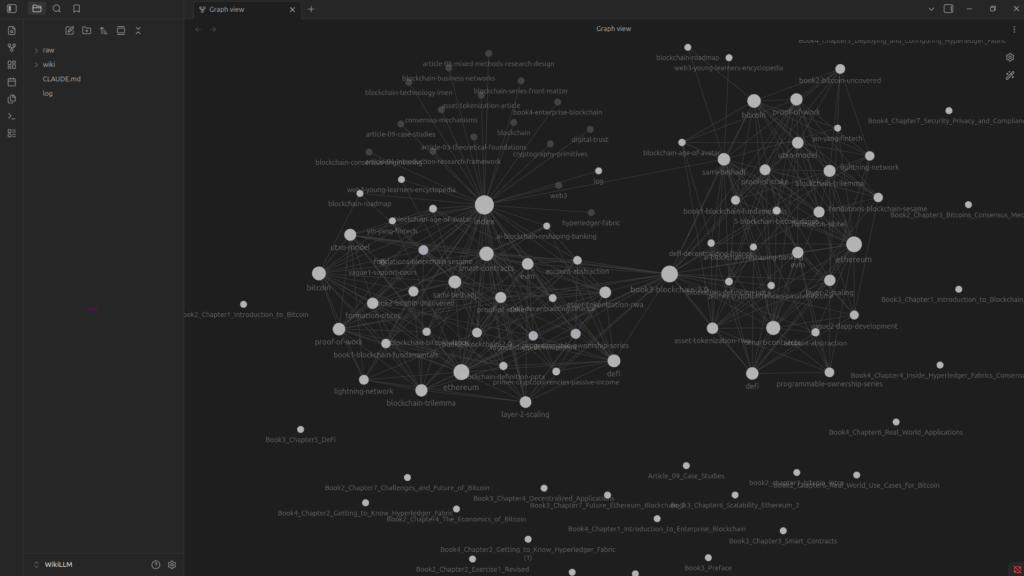
A single article can touch 10 to 15 wiki pages. Claude surfaces connections you hadn’t thought of, flags contradictions with what’s already filed, and logs precisely what changed. Read the diff. If something’s wrong, tell Claude to fix it. The wiki gets better the more you supervise the early ingests — you’re teaching it your conventions.
Once you have a dozen articles digested, you can start mining for insight. Some example prompts:
wiki/, what are the three biggest gaps in my understanding of [topic]?”raw/?”Claude scans the index, pulls relevant pages, gives you an answer with citations. The reflex to develop: when an answer is good, file it back into the wiki as a new synthesis page. A useful comparison, an analysis, a discovered connection — none of that should die in chat history. Each question should make the next one better. That’s the compounding loop.
A simple prompt for this: “That was a good answer. Save it as a new synthesis page in wiki/synthesis/ and update the index.”
Once a week, run:
claude -p "Read every file in /wiki/. Find: contradictions between pages, orphan pages with no inbound links, concepts mentioned repeatedly but with no dedicated page, and claims that seem outdated based on newer files in /raw/. Write a health report to /wiki/lint-report.md with specific fixes." --allowedTools Bash,Write,Read
This routine catches errors before they snowball. If the AI writes something slightly wrong and you build on top of it, the next answer compounds the mistake. The lint pass is your quality control.
Read the report. Approve fixes one by one if you want, or tell Claude to apply them all and show you the diff.
Past the basics, a few automations turn this from a tool you reach for into a system that runs itself.
Once configured, this runs every morning without intervention:
claude -p "Write a Python script called morning_digest.py that: 1) reads Memory.md and surfaces any open actions due today 2) reads any new files added to /raw/ in the last 24 hours 3) prints a clean briefing to the terminal. Then schedule it as a cron job every morning at 7:30am." --allowedTools Bash,Write
Every morning, you open your laptop to a summary of what needs your attention and what entered the knowledge base in the last 24 hours. Configure once, runs forever.
After any meeting or client call, drop the transcript in raw/ and run:
claude -p "Read the transcript in /raw/call-today.md. Extract every decision made, every action item with owner and deadline, and a 3-bullet summary. Add actions to /wiki/action-tracker.md, log decisions to /wiki/decision-log.md, and create a topic page linking back to this transcript." --allowedTools Bash,Write,Read
Every decision archived, every action tracked, nothing lost in chat history.
Schedule a Friday afternoon prompt:
claude -p "Look at all entries in log.md from the past 7 days. Summarize what was learned this week, what new connections were drawn in the wiki, and what questions came up that don't yet have a satisfying answer. Save the summary as /wiki/synthesis/weekly-YYYY-MM-DD.md and update the index." --allowedTools Bash,Write,Read
Now the wiki has a memory of how you are evolving alongside it.
The pattern is general. A few real applications:
The pattern is the same in every case. What changes is what goes in raw/ and what conventions you write into the schema.
Install the Obsidian Web Clipper browser extension. It converts any web article to markdown in one click. Fastest way to feed raw/.
Use Obsidian’s graph view. Nothing shows you the shape of your wiki better — what’s connected, which pages are hubs, which sit alone in a corner.
Install the Dataview plugin. If the AI tags pages with frontmatter (tags, dates, types), Dataview can generate dynamic tables and lists across the wiki.
Put your vault in a git repo. The wiki is just markdown files. You get version history, branching, and collaboration for free. After every Claude session, run git add . && git commit -m "ingest: <source>". If something goes sideways, you can roll back.
Supervise early ingests, trust later ones. The first 20 sources are when you’re teaching the AI your conventions. Read the diffs, correct it, refine the schema. After that, you can fire and forget for routine ingests and only supervise when the source matters.
Don’t be afraid to update the schema. When you find yourself correcting the AI for the same thing twice, write the rule into CLAUDE.md. The schema is a living document.
Obsidian is not strictly required. The real system is the folders, the schema, and the AI. Obsidian is just a nice window to look through. A folder of markdown files plus a good schema beats a heavily-tooled stack in 90% of cases. Start simple.
Reorganizing raw/ by hand. Don’t. Even if it feels chaotic, leave it. The AI uses the wiki for organization; the raw folder is just a bucket. The moment you start curating it, you’ve added human maintenance overhead — exactly what this system is supposed to eliminate.
Editing wiki pages by hand. Same trap. If a wiki page is wrong, tell the AI to fix it. If you start editing pages directly, you’ll create inconsistencies the AI can’t reconcile, and you’ll be back to manually maintaining a wiki.
Skipping the schema. Without CLAUDE.md, you’re just chatting with a generic agent. The schema is what makes the AI a disciplined maintainer. Don’t skip it.
Not running lint regularly. A small error compounds fast. The wiki has authority over future answers, so a slightly-wrong page gets cited as truth in subsequent queries. Weekly lint passes catch this.
Letting the chat be the artifact. Every good answer should land back in the wiki. If the only place a useful synthesis lives is your chat history, you’ve defeated the entire point. Make filing back the default reflex.
Trying to make it perfect before you start. The vault doesn’t need to be complete to be useful. It just needs to be real. Start with whatever you have, even if it’s a single conversation about your work, and build from there.
After three to six months of consistent use, here’s what a healthy wiki looks like:
raw/wiki/, organized into entities, concepts, comparisons, synthesesindex.md you can scan in 30 seconds to find any pagelog.md that shows steady ingestion (a few sources a week) and regular lint passesCLAUDE.md that’s grown past the starter version above with rules specific to your domainThat’s the goal. Not a complete encyclopedia. A living, compounding map of what you’ve actually engaged with — maintained by something that doesn’t get bored.
The hard part of any knowledge base has never been reading or thinking. It’s the bookkeeping. Cross-references decay. Summaries get stale. Contradictions go unnoticed. Pages drift out of date. Humans abandon their wikis because the maintenance overhead grows faster than the value.
The AI doesn’t have that problem. It doesn’t get bored. It doesn’t forget a cross-reference. It can touch fifteen files in a single pass without complaint. The wiki stays maintained because the cost of maintenance is essentially zero.
That changes what’s possible. A genuine, persistent, compounding personal knowledge base — the kind Vannevar Bush imagined in 1945 with the Memex — has been technically buildable for decades. The reason almost nobody had one is that nobody wanted to do the bookkeeping. Now they don’t have to.
Your job: curate sources, ask good questions, think about what it means.
The AI’s job: everything else.
Now go build it.
